Loads
Human-Computer Interaction Class Project
Teammates
Clark Glymph, Harry Xun, Eva Cao
Description of the Problem
Laundry is a stressful and often messy affair at Carleton College, where students use shared laundry facilities in their dorm buildings. We are designing an app that will limit the amount of clothes left in the laundry room, prevent lost clothes, make it easier to report issues, and decrease the amount of stress that laundry causes students.
Initial Designs
Addressing User Needs
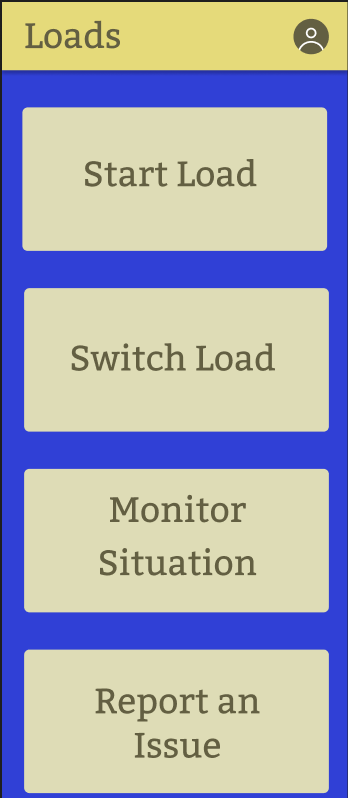
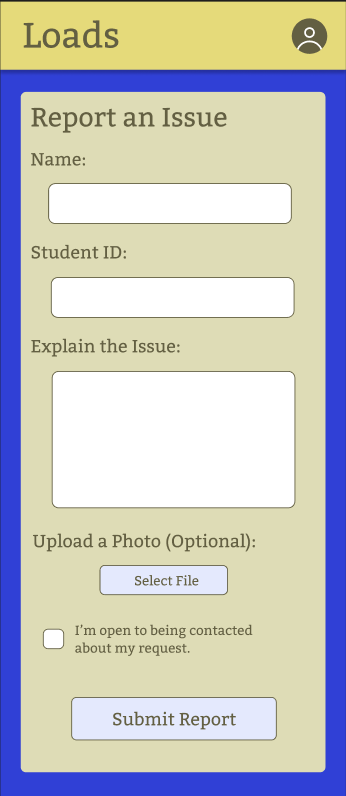
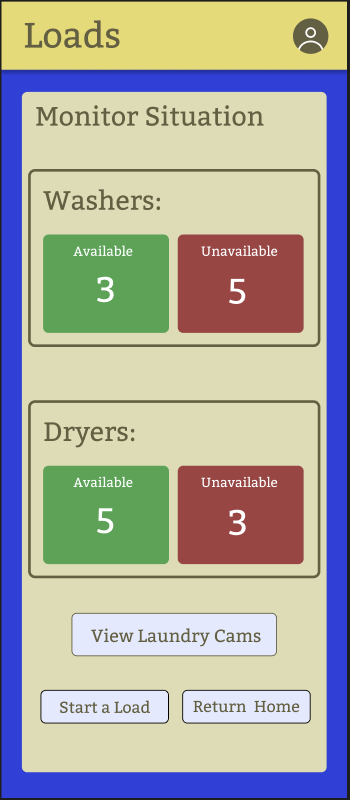
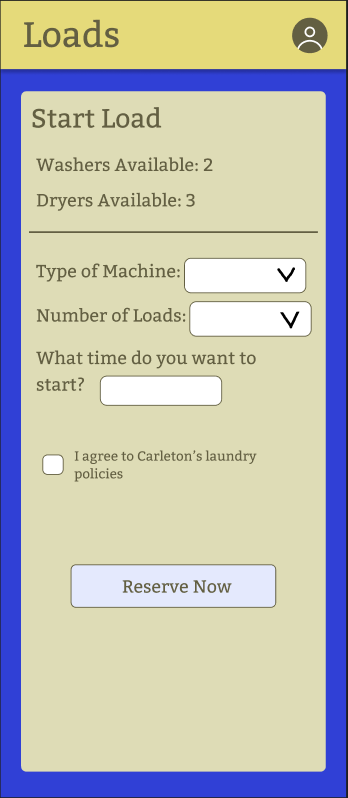
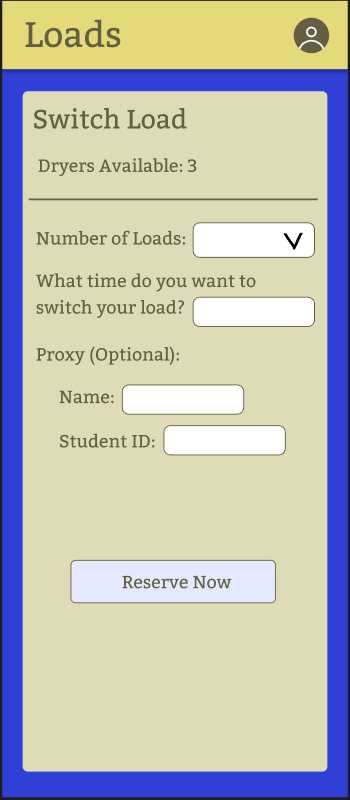
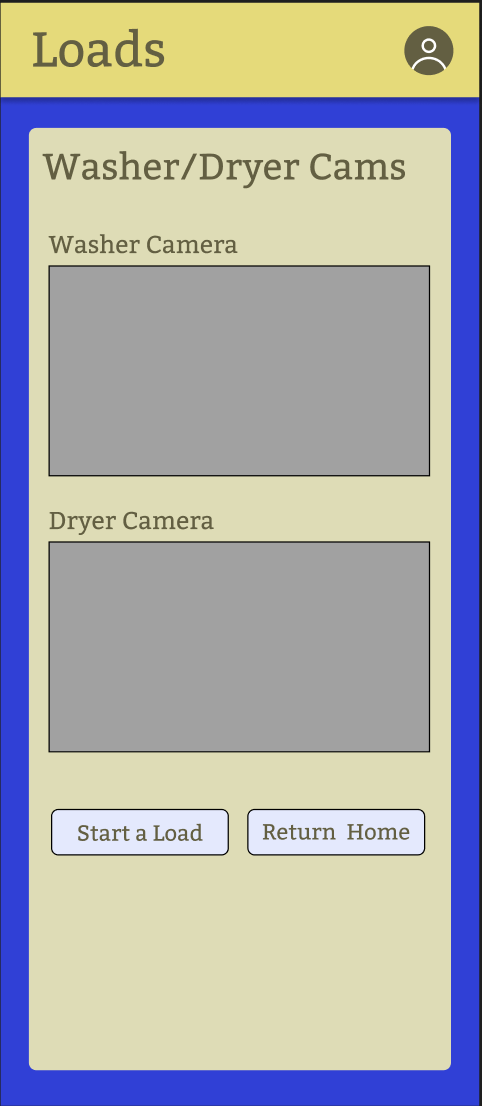
During the participatory design interview that I conducted to get user input on the design of this app, I learned that the most important features for users are the ability to reserve laundry machines and monitor the situation in the laundry room, so I placed those buttons at the top of the screen and made them prominent. In addition, this led me to include a feature to see, through video cameras, what the status of the laundry room is and a simple graphic to show how many machines are available. My user also described how they would like to report problems in the laundry room, so I made sure to incorporate their requests, including an option to upload pictures and a checkbox if you would like to be contacted further.
UX Reserach Process
We conducted two semi-structured interviews and three participatory design interviews to gather qualitative data to drive our prototyping. The interviewees came from various grade-levels and dorm buildings, providing us with a broad picture of user needs. While the semi-structured interviews gave us more information about where users were currently experiencing issues, the participatory design interviews allowed the users to be part of the design process and explain their ideas for the app.
UX Research Analysis
After conducting interviews, we axial coded them, creating an affinity diagram to organize our findings. We sorted the codes into different categories, like Action, Consequence, Condition, and Phenomenon. After doing this preliminary coding, we came up with our final codes and went through all interviews one more time. We generated our final requirements based on the codes the appeared most frequently throughout the interviews.
Final Three Requirements
- User should be able to monitor what machines are available in the laundry room at any given time.
- User should be able to set a timer to allow them to keep track of when their laundry is done.
- User should be able to communicate with other users of the laundry room.
Prototype with Interaction Flows
How Prototype Meets Requirements
My Prototype meets all three requirements that we generated in our research process. The prototype makes it easy to complete the most important tasks: monitoring the laundry room availability, setting timers, and communicating with other users.
The first requirement is met by my first interaction flow. After choosing a dorm building, the user is taken to a page where they can check the availability of machines at the moment. Each machine has its own square, and the squares are red when in use and green when open. There's also a timer that shows the amount of time left on each machine. This allows users to quickly see how many are available and plan out when they can start their laundry.
The second requirement is met by the second interaction flow, where the user sets a timer. The participants we interviewed really wanted an in-app feature that would allow them to set a timer and remind them of their laundry's completion. When on the monitoring page, the user can simply click a button that lets them set a timer.
The final requirement is met by the third interaction flow. Here, the user is able to communicate with other people on issues regarding the laundry room. There is an open chat feature where users can type and send messages. This is dorm-specific to create fewer notifications and clogging in the forum.
Link to the interactable second prototype.
Link to the design file.
UX Evaluation Process
After creating my second prototype, I met with two Carleton students for a co-discovery session during which they practiced thinking-aloud while using my prototype. Specifically, they completed three tasks: (1) checking machine availability, (2) setting a timer, and (3) communicating with others.
I received very helpful feedback from these users. One said of my community forum and set timer buttons that, “I think, like, maybe it'd be nice if these were like tabs.” The other said, “it'd be helpful to have different timers for washers and dryers.” Overall, they thought “that the basic functionality [was] all there.”
I collected three informal UX metrics from this co-discovery session: time on task, number of errors, and overall user rating. The time on task was greatest for the second task, setting a timer, which speaks to the slightly confusing design of that feature. The number of errors was also highest for that task. The users gave my design an overall rating of 4/5 and 4.5/5 respectively, as they found the app pretty intuitive.
Improvements Based on UX Evaluation
From the UX Evaluation process, I learned that I needed to add a centralized menu feature that allowed users to access different elements of the app from any page. The users did not like that they could only access set timer and community forum from the page with machine availability. In order to fix this problem, I added a permanent hamburger menu in the top right corner so that all pages are easily accessible. The users also had some feedback about the community forum page and felt that I could mimic texting norms more by adding a timestamp and name. I included these ideas in the final prototype and also moved the user’s own texts to the right side to match messaging conventions. Lastly, the participants expressed some confusion about the set timer feature and wanted more flexibility and intuition. To achieve this, I switched the timer feature to be custom set by the user so that they have complete control.
Final Prototype
Check it out for yourself here!
Future Steps
There are a few future steps that could not be included in my final prototype. First, I’d like to talk to custodial and facilities staff at Carleton to understand their perspective on laundry facility issues. We would like their feedback to help us create an effective and functional “report issue” feature, something that users had mentioned as a potential additional feature. Second, we want to create one final design that combines the best parts of all our prototypes. There were various parts of our different prototypes that users liked a lot, so it would be really cool to combine all those elements and make one final power prototype. Finally, we’d love to implement a reservation system for laundry machines. Users were interested in a reservation system so that they could decide when to do their laundry and be guaranteed to have a machine available at that time.